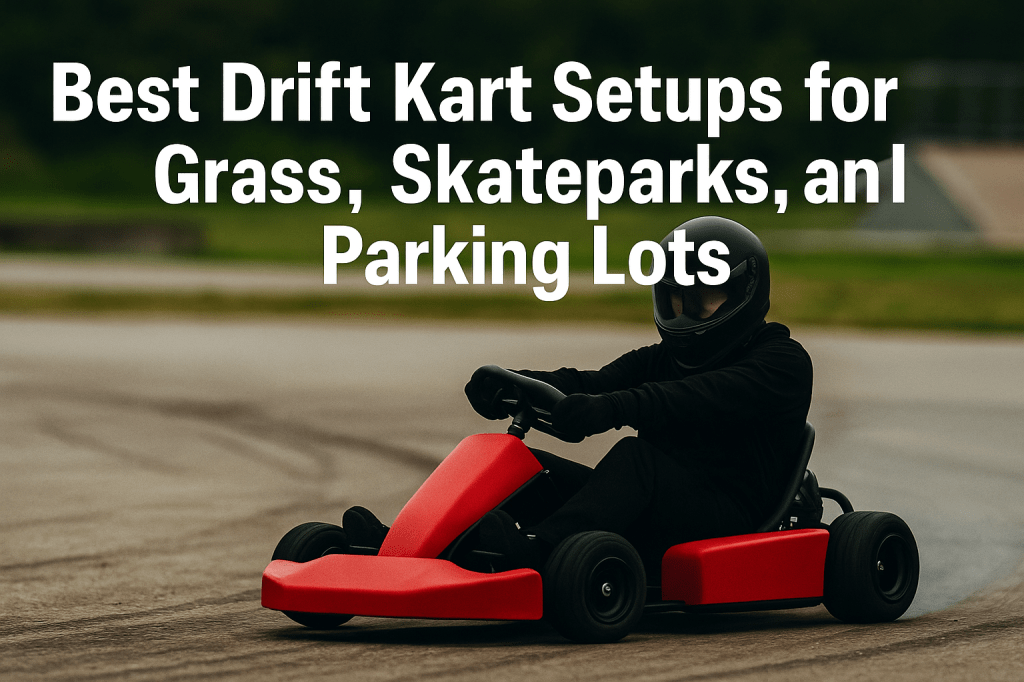
One of the best parts about owning a DriftKart D1 isn’t just the sliding — it’s the freedom to drift anywhere.
Most so-called drift karts are locked into flat pavement. But with the right tuning, the D1 dominates:
- 🛞 Skateparks
- 🌱 Grass
- 🅿️ Parking lots
- 🏟️ Tennis courts
- 🧱 Even warehouses
This blog breaks down how to set up your DriftKart D1 for each surface — so you can maximize grip, speed, and style without burning tires or getting stuck.
🛞 First, Know Your Mode
Every D1 supports two core modes:
- Training Mode: Rear and front steering synced for maximum control
- Shred Mode: Rear steering disabled for burnout-style sliding (best with Drift Rings)
Depending on your surface, you’ll want to pick the right mode before tuning.
🅿️ Parking Lot Setup
Best Mode: Training Mode
Surface Type: Smooth concrete or sealed asphalt
Recommended Tires: Stock rubber or medium grip compound
Camber/Caster Settings:
- Slight negative camber up front
- Moderate caster for stable countersteer return
Power Tip: Use medium acceleration curve for balance
Why it works:
Parking lots give you predictable grip and space to work on lines. Use cones to simulate track layouts, chase laps, or wall zones. The D1’s real tires and angle control make it easy to practice transitions without chewing through rubber.
🌱 Grass Setup
Best Mode: Training Mode
Surface Type: Short, trimmed grass or turf
Recommended Tires: High-traction ATV-style rubber or studded pattern
Camber/Caster Settings:
- Reduce camber (keep the full contact patch)
- Less caster for easier low-speed rotation
Power Tip: Use a slower top speed but high initial torque
Why it works:
Grass offers tons of slip without needing Shred Mode. The D1 shines here because its torque lets you initiate without burnout rings, and you can practice flicks, transitions, and even tandem — with soft landings.
🏁 Skatepark Setup
Best Mode: Shred Mode or Training Mode (depending on your goal)
Surface Type: Smooth concrete with bowls, ramps, transitions
Recommended Tires: Stock rubber or Drift Rings for tighter slides
Camber/Caster Settings:
- Slight toe out for snappier turn-in
- Medium camber to stay balanced on curved surfaces
Power Tip: Keep acceleration high for punchy movements on inclines
Why it works:
The D1 is compact and responsive, making it perfect for skateparks. In Shred Mode, you can spin around obstacles or whip down ramps. In Training Mode, carve bowls and ride transitions with real angle.
Pro Tip: Use LED proximity sensors to simulate wall taps on ledges and park features.
🏟️ Tennis Courts & Warehouses
Best Mode: Training Mode
Surface Type: Ultra-smooth concrete or painted court surface
Recommended Tires: Drift Rings or low-grip rubber
Camber/Caster Settings:
- Aggressive caster for fast steering response
- High camber to add slip at low speeds
Power Tip: Add a delay to initial throttle to avoid spinning out on gripless surfaces
Why it works:
Slippery surfaces are hard to drift on unless your kart is dialed in. The D1’s electronics let you control slide without needing tire spin — which makes it perfect for indoor events, content creation, or parking garages.
💡 Bonus: Cone Layouts for Any Surface
No matter where you’re drifting, set up basic cone layouts to simulate:
- Hairpins
- Switchbacks
- Lead/follow zones
- Box entries
- Wall taps
- Drift limbo lines
This helps you train consistently — even in random locations.
🎯 One Kart, Any Terrain
Whether you’re practicing chase in a parking lot, riding the edge of a bowl, or throwing it sideways on a grassy field — the DriftKart D1 can handle it.
The secret is in:
- ✅ Tire choice
- ✅ Power mode
- ✅ Camber/caster tuning
- ✅ Surface strategy
You don’t need multiple karts.
You need one kart that adapts to you.
🎄 Available for Preorder – Shipping Christmas 2025
Only a limited batch of DriftKart D1s will be built for this launch.
Get yours now — and unlock the only drift kart that drives anywhere you dare to send it.
👉 Sign up at driftkart.co
 Drift Karts